
Rig Bake › Features › Advanced real-time exports: VAT, impostors & sprite stacks
Advanced real-time exports: VAT, impostors & sprite stacks
Three specialist bakes for performance-hungry games: vertex animation textures, octahedral impostors and layered sprite stacks.
Open Rig Bake — free, in your browserNo sign-up. No upload — models stay on your machine. Works in any WebGL 2 browser.
Beyond standard spritesheets, Rig Bake bakes three advanced representations used in high-performance and stylized rendering — normally the domain of custom in-house tooling.
Vertex Animation Textures (VAT)
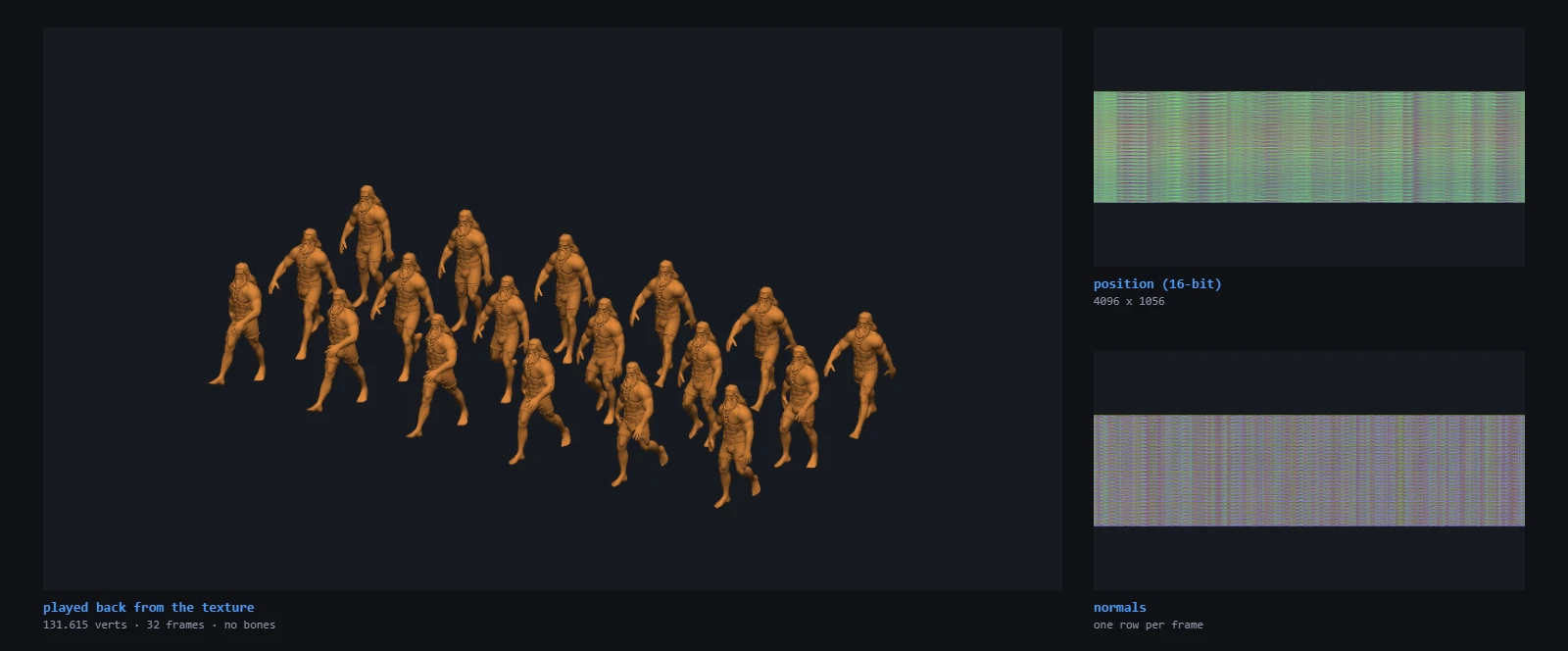
Bakes skeletal animation into a texture so the mesh can play it back in a vertex shader — no skeleton, no animator, just one draw call per instance. Configure 2 to 256 frames and optionally bake normals. Ideal for GPU-instanced crowds, swarms and background characters in Unity, Unreal or custom engines.
The cheaper thing to try first
Every export on this page trades fidelity for cost, and all of them are more work than the two blunt instruments most models have not had applied yet. Before baking a model into a VAT or an impostor atlas, check whether it just needs fewer triangles or smaller textures: reduce polygons for render cost, compress the GLB for download size. Those two are frequently the whole answer, and a model that has had neither is not yet a candidate for anything here.
Reach for these formats when the ordinary options are exhausted — thousands of instances on screen, or a billboard standing in for a character at a distance where nobody can tell.
Octahedral impostors
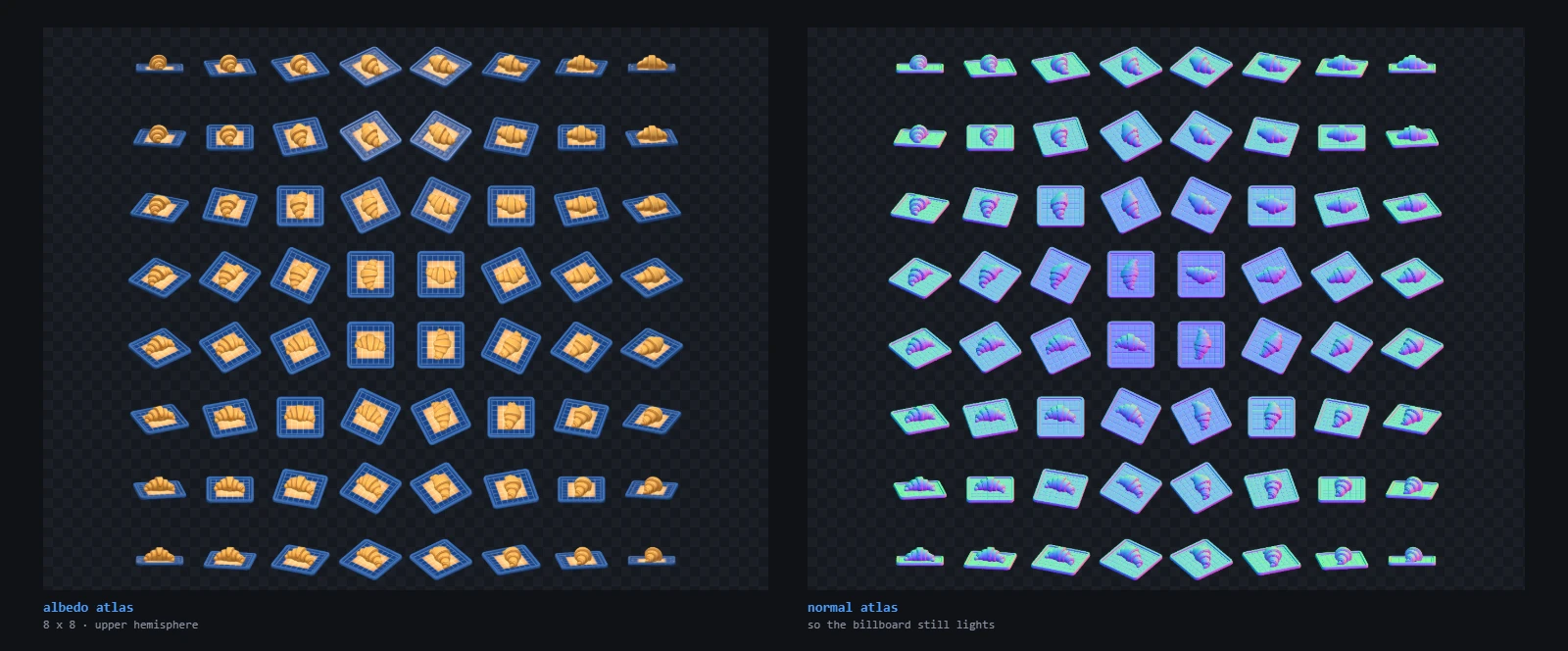
Renders the model from up to 32×32 viewpoints into an atlas (upper-hemisphere or full-sphere mapping), with optional normal and depth atlases. At distance you swap the real mesh for a single billboard that looks correct from every angle — the classic AAA vegetation/LOD trick, generated in your browser.
Sprite stacks
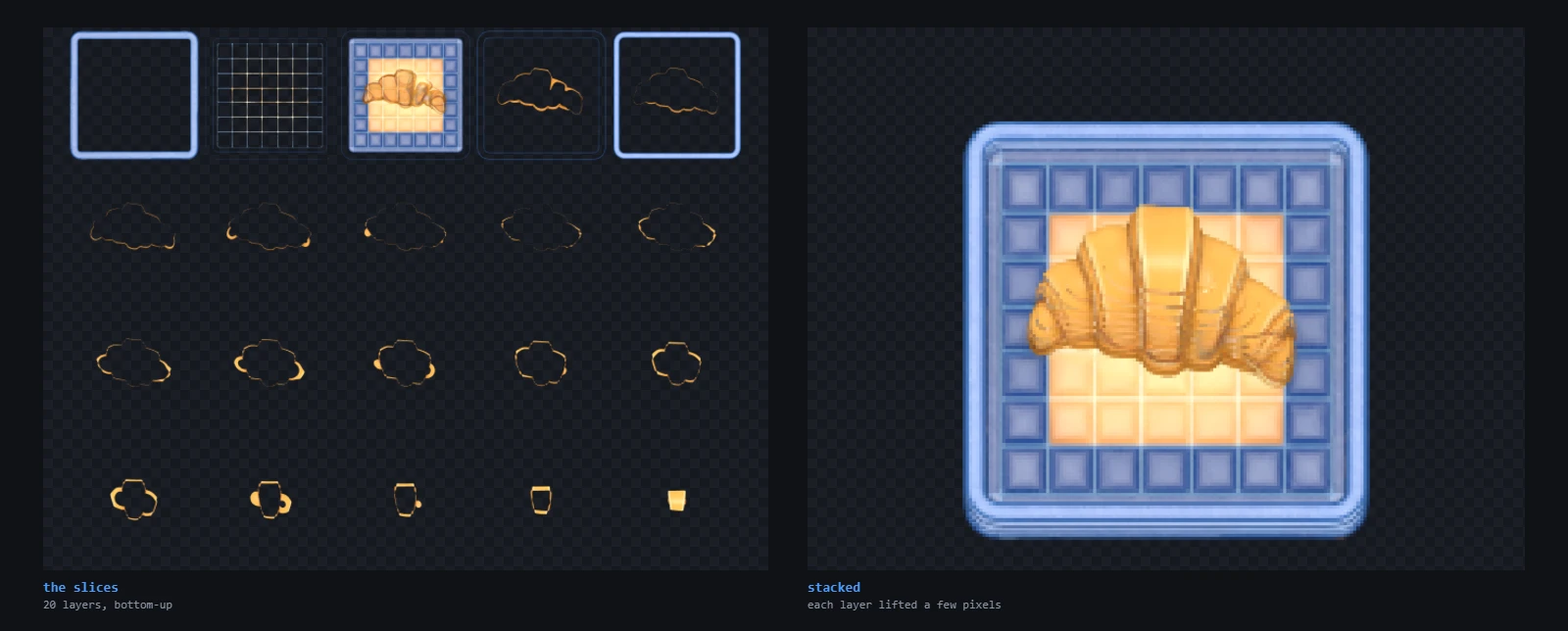
Slices the model into 2 to 128 horizontal layers for the "sprite stacking" fake-3D style popular in GameMaker and PICO-8 games — draw the layers with a vertical offset and the object appears 3D as it rotates.
Frequently asked questions
What is a Vertex Animation Texture good for?
Rendering hundreds or thousands of animated characters cheaply: the animation lives in a texture sampled by the vertex shader, so instances need no skeleton or CPU animation work.
Do impostors include normals and depth?
Optionally, yes — enable the normal and depth atlases for correct lighting and depth blending on the billboard.
How do I use a sprite stack in GameMaker?
Import the zip of slice images and draw them bottom-to-top with a 1px (or scaled) vertical offset, rotating each layer with the object angle.