
Rig Bake › Features › Turn 3D models into pixel art
Turn 3D models into pixel art
A real-time pixel-art pipeline: pixelation, palette quantization with classic and custom palettes, dithering and cel shading — baked into crisp spritesheets.
Open Rig Bake — free, in your browserNo sign-up. No upload — models stay on your machine. Works in any WebGL 2 browser.
The pixel-art post-processing stack renders your animated 3D model as if it were hand-pixelled: choose a pixel size, snap colors to a palette, add ordered dithering, and combine with toon shading and outlines for authentic retro sprites at any resolution.
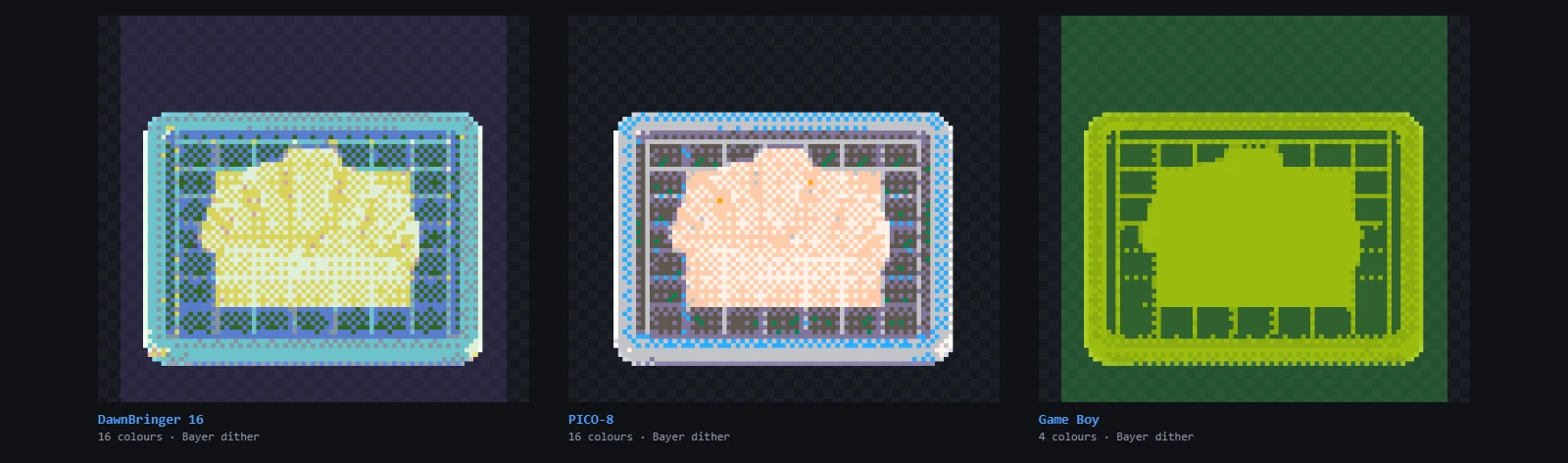
Palettes
Built-in palettes include Posterize, DawnBringer 16, PICO-8, NES, Game Boy and CGA. You can also import any custom palette from a GIMP .gpl file, a plain .hex list, or directly from a Lospec palette URL — so your sprites match your game's exact color script.
The full retro stack
- Pixelation with adjustable pixel size.
- Palette quantization with color-level control and dithering.
- Toon/cel shading with adjustable band count.
- Per-object outlines, bloom, tone mapping (ACES, AgX, Neutral and more), sharpen and vignette.
- Drag-to-reorder the post-processing chain — pixelate before or after toon shading for different looks.
Mesh density stops mattering here
Pixel art is the one pipeline where an expensive mesh buys you nothing. The renderer quantizes the frame down to a grid of large, flat pixels and snaps every colour to a fixed palette — a 64 px sprite has roughly four thousand pixels to say everything with, and detail finer than one of those pixels is discarded before you ever see it. A model carrying 300,000 triangles and one carrying 8,000 produce the same sprite.
They do not take the same time to produce it, though. If the model came out of Meshy, Tripo or Rodin, send it through the polygon reducer before you start — keeping 10% is normal for generated meshes, the preview becomes responsive enough to actually tune the palette and dither settings against, and the sheet that comes out is identical.
From look to asset
Because the pixel-art look is a render effect, every animation frame is consistent — no per-frame hand cleanup. Bake 4-direction or 8-direction spritesheets, and save the whole look as a shader preset (-shader.json) to reuse across models.
Frequently asked questions
Can I use my own color palette?
Yes — import GIMP .gpl files, .hex lists, or paste a Lospec palette URL and Rig Bake fetches the colors.
Will animations stay consistent frame to frame?
Yes. The pixelation and quantization are deterministic render passes, so a walking animation stays coherent across all frames and directions.
Can I get an 8-direction isometric pixel character from an AI model?
Yes — import the model, apply the pixel-art stack, pick the isometric preset and bake; you get 8 directions of palette-perfect sprites in one sheet.