
Rig Bake › Features › Turn 3D models into 2D spritesheets
Turn 3D models into 2D spritesheets
Bake any animated .glb, .gltf or .fbx into game-ready spritesheets — 4-direction sidescroller, 8-direction isometric or top-down — with optional normal, depth and emissive passes.
Open Rig Bake — free, in your browserNo sign-up. No upload — models stay on your machine. Works in any WebGL 2 browser.
Rig Bake renders your animated 3D model from multiple camera directions and packs the frames into clean spritesheets with metadata — the fastest way to get 2D assets for a pixel-art, isometric or sidescroller game out of an AI-generated or hand-made 3D model.
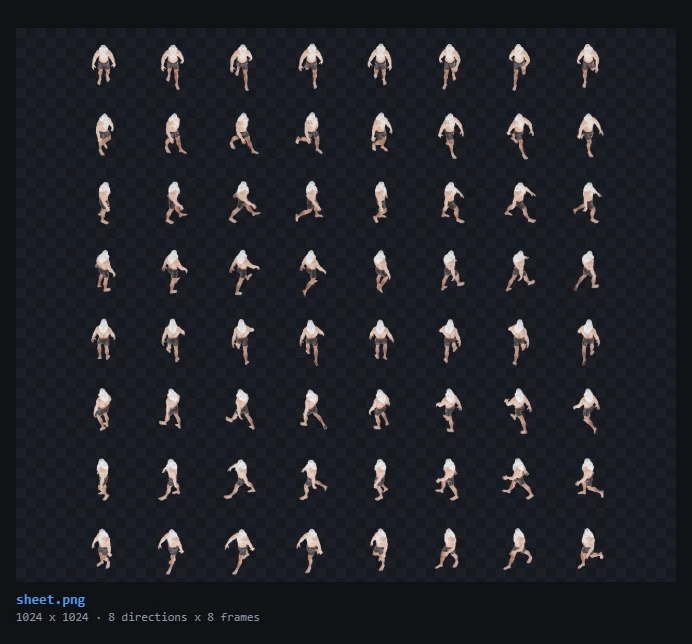
Direction presets
Pick exactly which directions to bake, preview each angle live, and choose animation-based baking (uses your clips) or time-based baking with a warm-up pre-roll — useful for steady-state effects like fire.
- Sidescroller — 4 directions for classic 2D platformers and beat-em-ups.
- Isometric — 8 directions for RTS, ARPG and city-builder sprites.
- Top-down — single overhead view for shooters and roguelikes.
Extra render passes for dynamic lighting
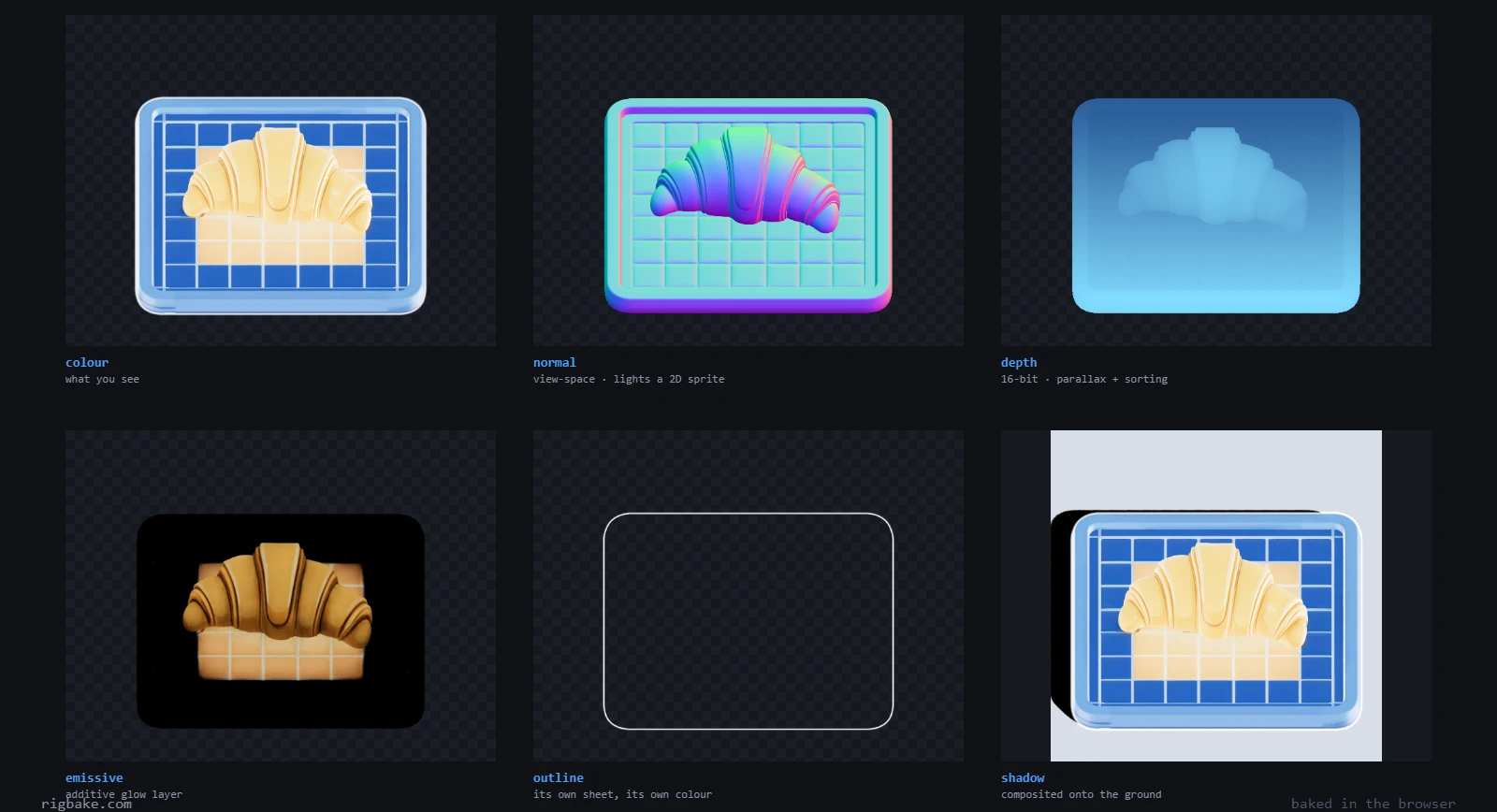
Beyond the color sheet, Rig Bake can export cell-aligned auxiliary sheets that game engines use for real-time 2D lighting and recoloring:
- Normal map pass — view-space normals for Unity Sprite-Lit or Godot Light2D, so flat sprites react to dynamic lights.
- Depth pass — 16-bit depth for soft particles and occlusion tricks.
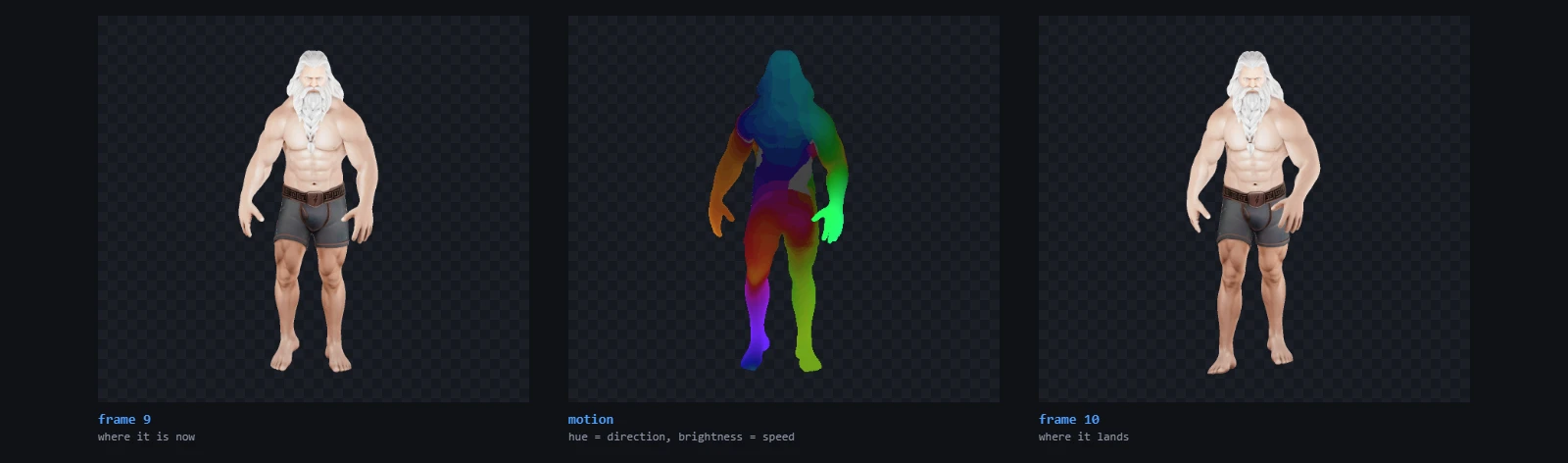
- Emissive, ground shadow, motion vector and outline passes.
- Team-color mask — paint primary/secondary/trim regions directly on the model and export an RGB mask sheet for player-color recoloring.
- Six-way lighting pass — relightable smoke and fire sprites.
Getting the model in
A bake renders your model once per frame per direction, so an isometric sheet is doing eight times the work of a preview. Two things about the input decide whether that takes ten seconds or two minutes.
If the file is an .fbx from Mixamo or a DCC, it arrives measured in centimetres while every glTF pipeline reads metres — a character lands a hundred times too large and frames out of the camera. Baking handles it, but if you want the model itself fixed once and reused everywhere, convert the FBX to GLB first; the scale correction and every animation clip come across in one pass.
And if the model came from a text-to-3D generator it is probably carrying a few hundred thousand triangles it does not need. Sprites are flat pixels in the end — a 256 px cell cannot show detail the mesh spent 300,000 triangles on. Running it through the polygon reducer first cuts bake time sharply and changes nothing you can see in the sheet.
Output formats
Export a PNG sheet with metadata.json, individual frames as a zip, an animated GIF or MP4 preview, a transparent WebM with a real alpha channel, or ready-made Unity and Godot packages. Sheets larger than 16k pixels are automatically split and zipped with shared metadata.
The free tier bakes up to 32 frames per direction at 256 px cells with every export format unlocked and no watermark. Pro ($19/year) raises the limits to 128 frames and 1024 px cells and adds one-click batch baking of every loaded model.
Frequently asked questions
Which input formats are supported?
Animated .glb, .gltf and .fbx files — including models straight out of Meshy AI, Tripo, Rodin, Mixamo or Blender.
Can I make isometric 8-direction sprites?
Yes. The isometric preset renders 8 directions per animation clip and packs them into one sheet with per-frame metadata.
Do the sprites support dynamic lighting in Unity or Godot?
Yes. Enable the normal map pass and Rig Bake exports a matching normal sheet; the Unity package binds it to Sprite-Lit-Default and the Godot package wires it for Light2D.
Is there a watermark on free exports?
No. Free exports are watermark-free at up to 32 frames per direction and 256 px cell size.